Why AI portraits look fake: the skin
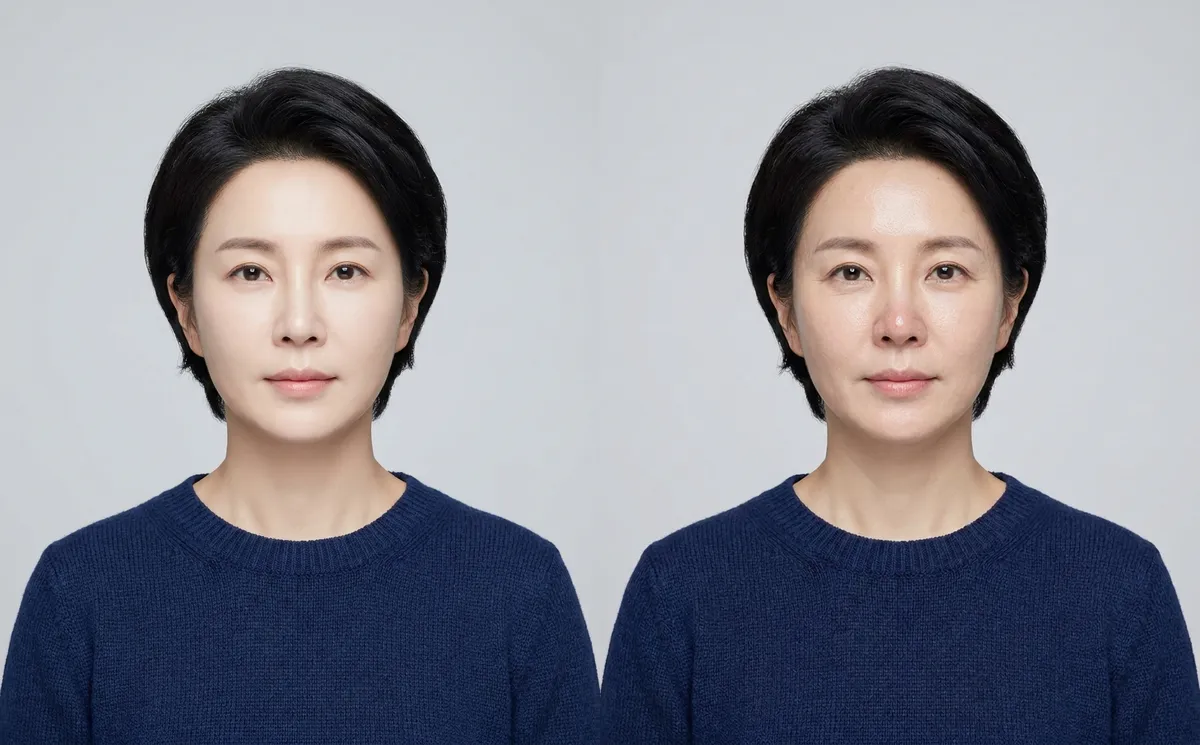
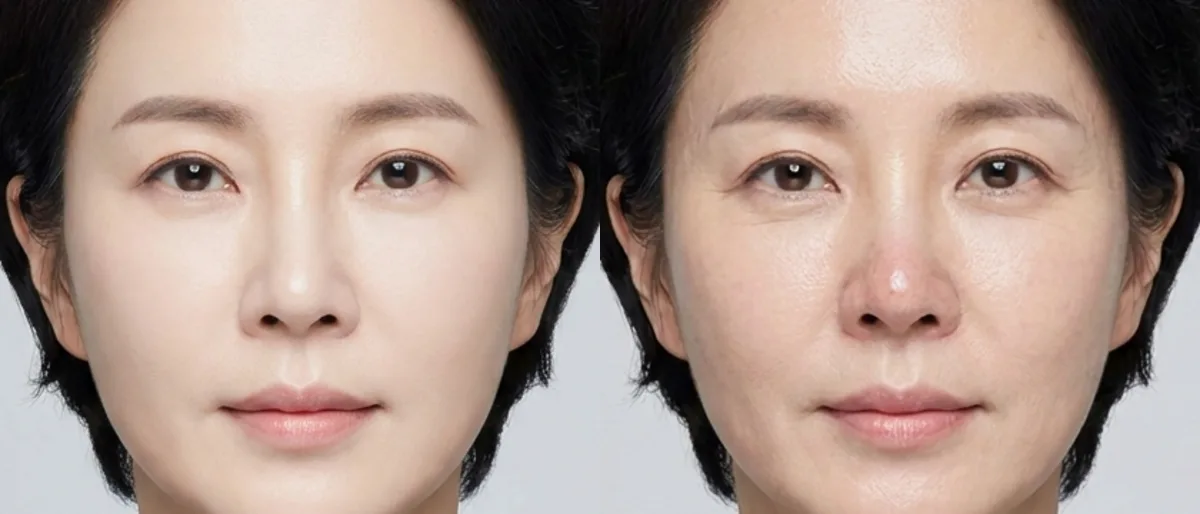
No pores. No lines. No change in colour. The same soft glow from forehead to chin. Real skin has all of that and people notice when it's missing, even if they can't name it.
For a brand that's expensive: the portrait reads as an ad before anyone has read a word.
Why image models airbrush skin
Image models learned what a good portrait looks like from a mountain of retouched photos: beauty shots, ads, filtered selfies. In that pile, good skin means smooth skin. So smooth is what you get.
And asking for a better photo usually makes it worse. Better, to the model, means smoother.
How we fix AI skin: one edit on the same photo
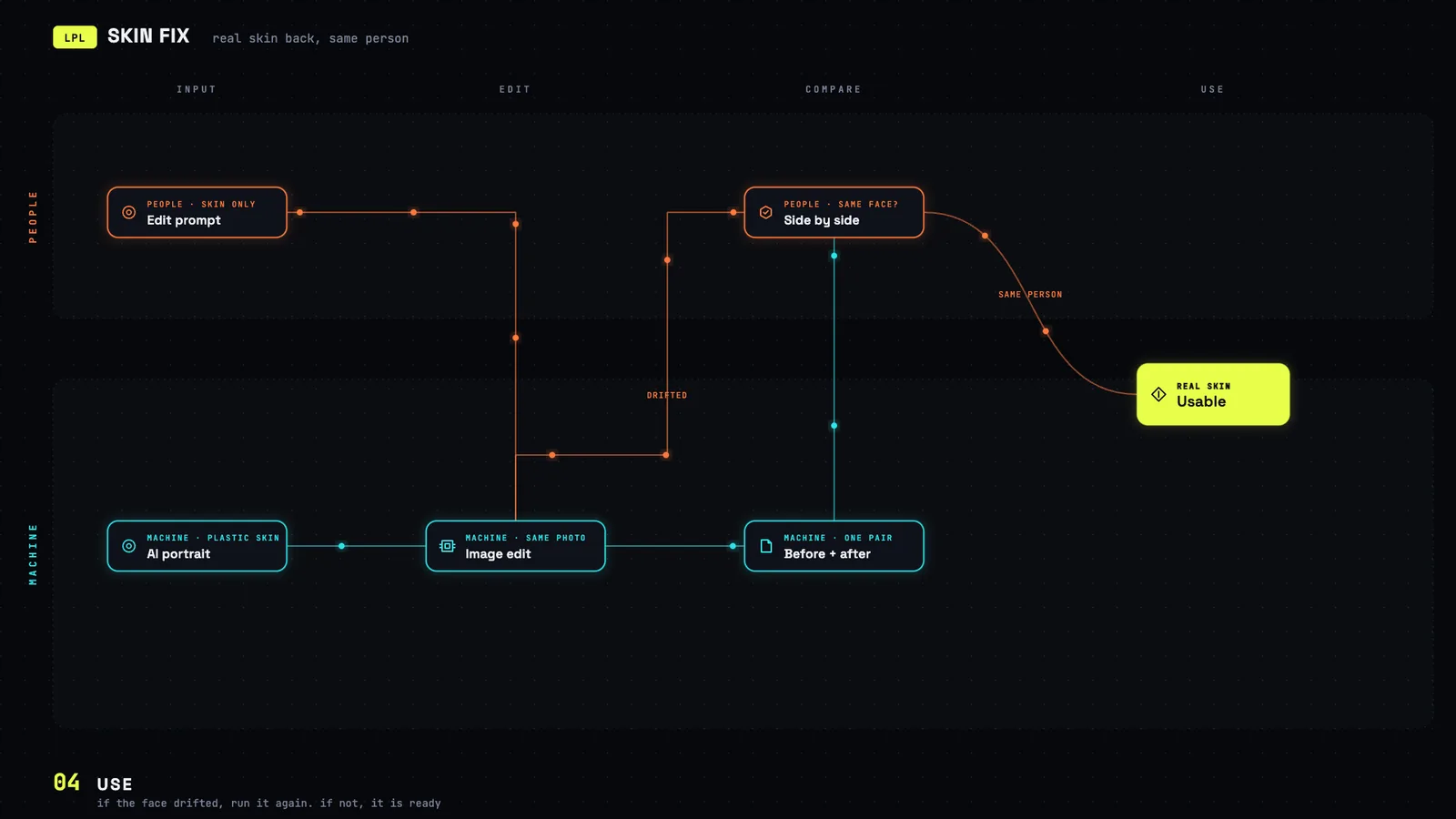
Generating it again doesn't help. A new generation is a new person. So we edit the same image and the prompt only lets the skin change: pores, fine lines, shadows under the eyes, a bit of redness. Face, hair, pose, light and background stay locked.
Then a person puts both versions side by side. Same face? Done. Face drifted? Run it again.
 Full size ↗
The prompt, word for word as our tool sends it. We run it on Gemini 3 Pro Image. Any model that can edit a reference image should take it:
CRITICAL: This is an IMAGE EDITING task, NOT an image generation task.

You MUST return the EXACT SAME photograph with ONLY the skin texture modified. Do NOT generate a new person. Do NOT change the face shape, eye color, hair, expression, pose, lighting, background, or clothing. The output must be the SAME PERSON, recognizably identical.

ONLY modify the skin texture:
- Add visible pores on nose, forehead, and cheeks
- Add subtle fine lines around eyes (crow's feet) and mouth (laugh lines)
- Add natural under-eye shadows
- Add slight skin color variation (natural redness on nose, warmth on cheeks)
- Remove the artificial smoothness / beauty filter / airbrushed look
- Add natural skin texture and micro-detail

DO NOT CHANGE:
- The person's identity, face shape, or features
- Eye color, eyebrow shape, lip shape
- Hair color, style, or position
- Expression and pose
- Lighting and shadows (only add skin-level detail)
- Background, clothing, accessories
- Image composition, framing, or resolution

The result should look like the SAME photo, just without the AI skin smoothing.
Generated people in ads: treat skin like the logo
If you put generated people in ads or on your site, treat skin like the logo: a detail that has to be right before anything goes out. One extra edit is cheap. A campaign that looks like AI isn't.
Fair warning: this is one run, judged by eye. Not a measurement. Try the prompt on your own images and compare side by side, the way we do.